
장난감 연구소
[React] BlockNote Video.js 적용 본문
개요
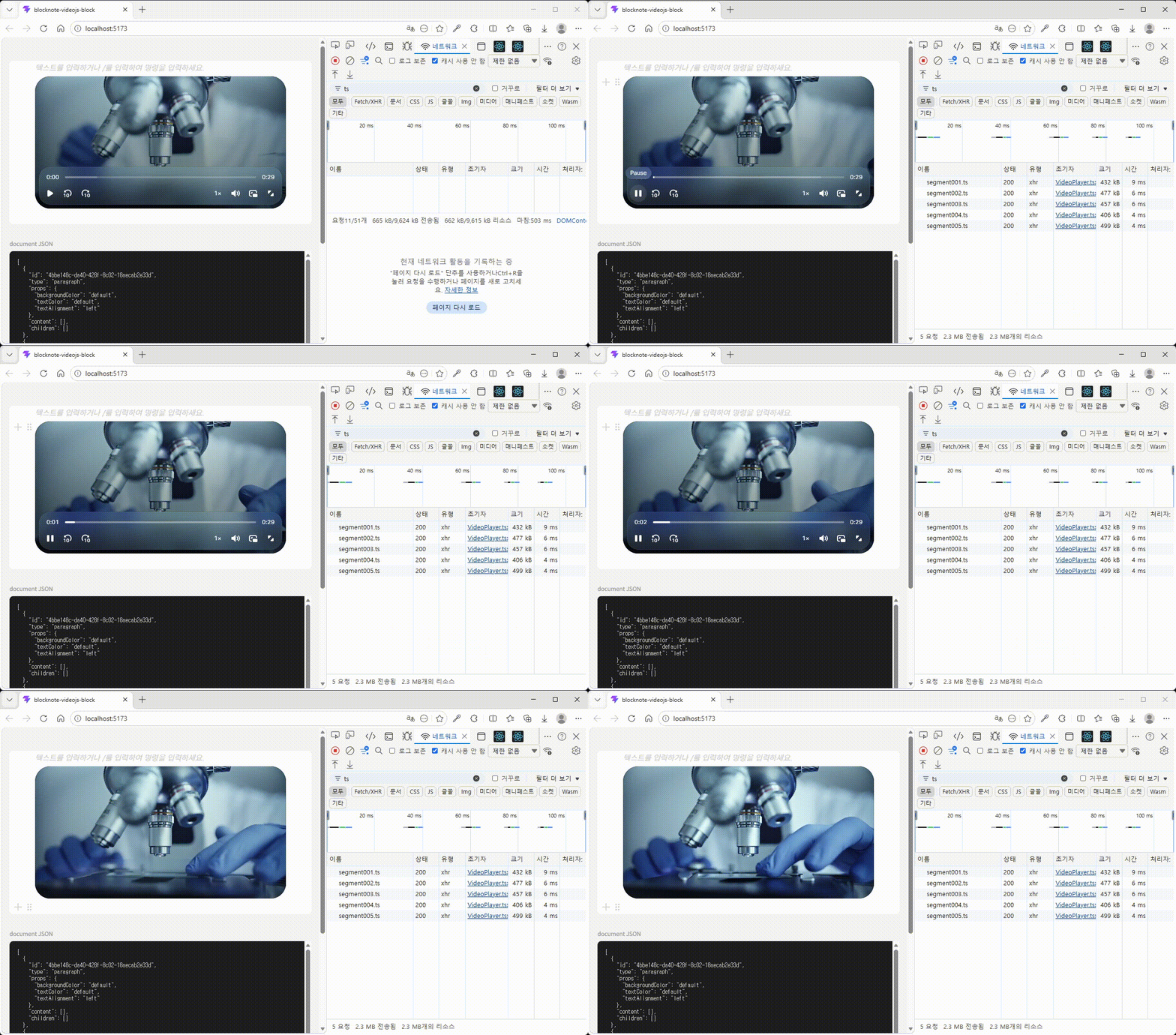
Notion 스타일 React 블록 기반 편집기인 BlockNote에 Video.js v10을 적용하는 코드입니다.
BlockNote에서 동영상을 첨부하였을 때 플레이어를 Video.js로 변경합니다.
버전
React 19+ (required for Video.js v10)
@blocknote/* ^0.45.0
@videojs/react ^10.0.0-beta.15
코드
toys/blocknote-videojs-block at master · changi1122/toys
Contribute to changi1122/toys development by creating an account on GitHub.
github.com
VideoPlayer.tsx
import { createReactBlockSpec, FileBlockWrapper } from "@blocknote/react";
import { MdVideocam } from "react-icons/md";
import { VideoPlayer } from "../VideoPlayer";

const VideoBlockComponent = (props: any) => {
  if (props.block.props.url) {
    return (
      <VideoPlayer src={props.block.props.url} />
    );
  }
  return (
    <FileBlockWrapper {...props} buttonIcon={<MdVideocam size={24} />} />
  );
};

export const createVideoBlock = createReactBlockSpec(
  {
    type: "video",
    propSchema: {
      url: { default: "" },
      name: { default: "" },
      caption: { default: "" },
      showPreview: { default: true },
      previewWidth: { default: undefined, type: "number" as const },
    },
    content: "none",
  },
  {
    meta: { fileBlockAccept: ["video/*"], selectable: false },
    render: VideoBlockComponent,
  }
);
VideoBlock.tsx
import { createReactBlockSpec, FileBlockWrapper } from "@blocknote/react";
import { MdVideocam } from "react-icons/md";
import { VideoPlayer } from "../VideoPlayer";

const VideoBlockComponent = (props: any) => {
  if (props.block.props.url) {
    return (
      <VideoPlayer src={props.block.props.url} />
    );
  }
  return (
    <FileBlockWrapper {...props} buttonIcon={<MdVideocam size={24} />} />
  );
};

export const createVideoBlock = createReactBlockSpec(
  {
    type: "video",
    propSchema: {
      url: { default: "" },
      name: { default: "" },
      caption: { default: "" },
      showPreview: { default: true },
      previewWidth: { default: undefined, type: "number" as const },
    },
    content: "none",
  },
  {
    meta: { fileBlockAccept: ["video/*"], selectable: false },
    render: VideoBlockComponent,
  }
);
BlockNoteEditor.tsx
import { useCreateBlockNote } from "@blocknote/react";
import { BlockNoteSchema, defaultBlockSpecs } from "@blocknote/core";
import type { PartialBlock } from "@blocknote/core";
import { BlockNoteView } from "@blocknote/mantine";
import { codeBlockOptions } from "@blocknote/code-block";
import { createCodeBlockSpec } from "@blocknote/core";
import { ko } from "@blocknote/core/locales";

import { createVideoBlock } from "./blocks/VideoBlock";
import "@blocknote/mantine/style.css";
import "@blocknote/core/fonts/inter.css";

const schema = BlockNoteSchema.create({
  blockSpecs: {
    ...defaultBlockSpecs,
    codeBlock: createCodeBlockSpec(codeBlockOptions),
    video: createVideoBlock(),
  },
});

interface BlockNoteEditorProps {
  editable?: boolean;
  body?: PartialBlock[];
  onChange?: (blocks: PartialBlock[]) => void;
  uploadFile?: (file: File) => Promise<string>;
}

const BlockNoteEditor = ({
  editable = true,
  body,
  onChange,
  uploadFile,
}: BlockNoteEditorProps) => {
  const editor = useCreateBlockNote({
    initialContent: Array.isArray(body) ? body : undefined,
    schema,
    dictionary: ko,
    uploadFile,
  });

  const handleOnChange = () => {
    if (onChange) {
      onChange(editor.document);
    }
  };

  return (
    <BlockNoteView
      editor={editor}
      theme="light"
      editable={editable}
      onChange={handleOnChange}
    />
  );
};

export default BlockNoteEditor;
'개발 > React' 카테고리의 다른 글
| [React] CRA → Vite 마이그레이션 과정 정리 (0) | 2025.05.23 |
|---|---|
| [React] Next.js에서 Quill 에디터 사용하기 (9) | 2021.04.25 |
| [경험] React에서 Quill 입력시 입력 오류 해결 (0) | 2021.01.30 |
'개발/React'와 연관된 게시물
더보기


